From first scan
to final bill.

A connected workspace for the people on your floor, behind the counter and in the kitchen.

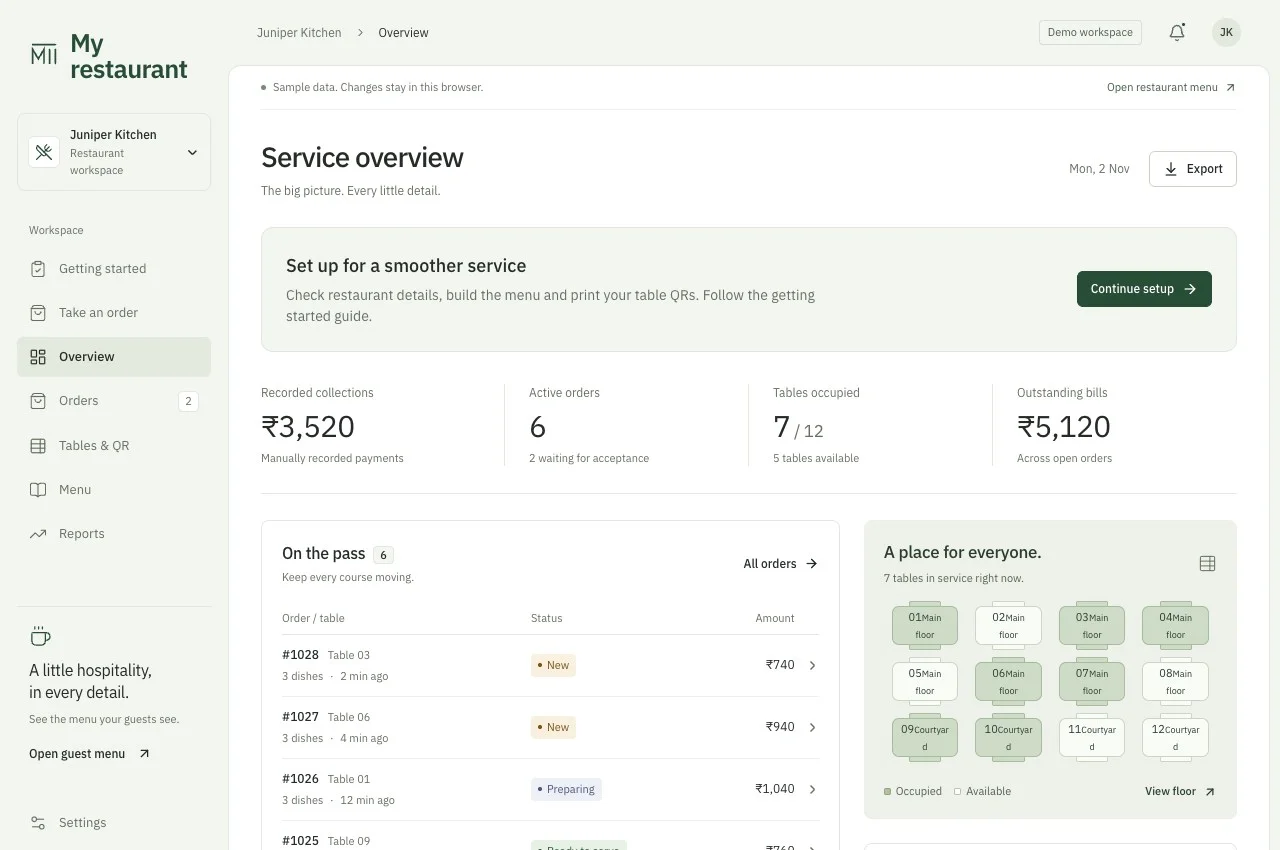
Sample Dinevia service overview with current orders and floor information
Actual platform overview with sample restaurant data.

Every part of service,
with a place to land.

A menu in every guest’s hand.

Guests scan their table’s QR, choose dishes and review the order before sending. Your team accepts it before preparation.

  • Browser menu, with no guest app to install
  • Dish variants, extras and availability
  • A private group, even when a table is shared
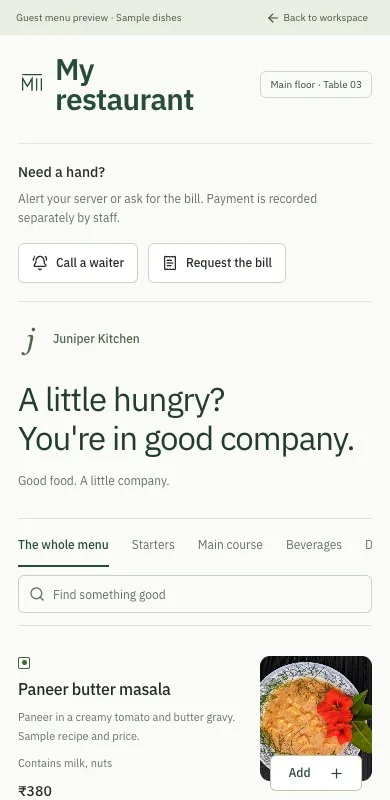
Sample guest orders screen in Dinevia

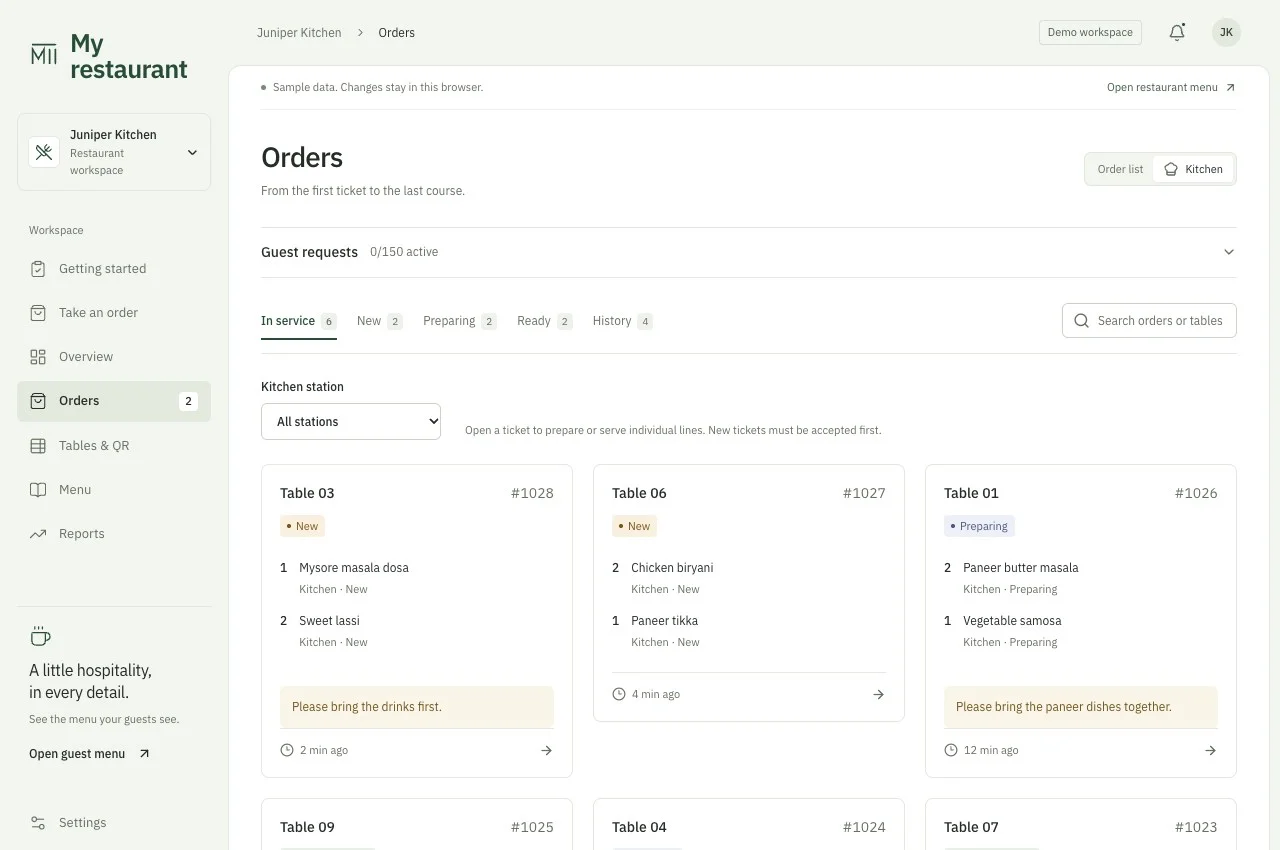
One ticket. A visible next step.

Route dishes to kitchen stations and follow each item through preparation, ready and served. Kitchen tickets keep preparation details together.

  • Item-level progress and station filters
  • Kitchen notes and received option details
  • Browser kitchen-ticket printing
Sample kitchen screen in Dinevia

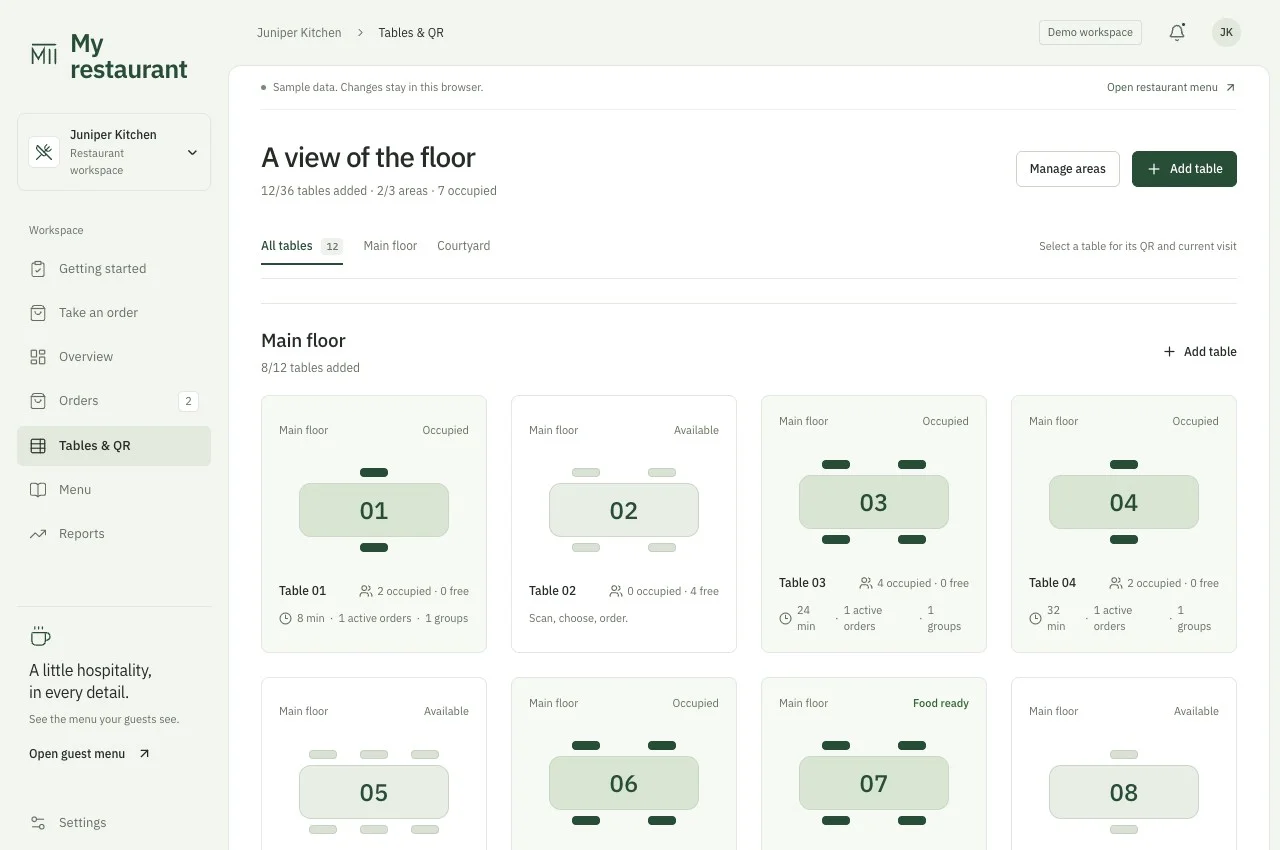
Know who’s sitting where.

Group tables by area. Keep unrelated guests’ orders separate, adjust group sizes and transfer groups when plans change.

  • Area-specific table names
  • Capacity checks when seating a group
  • Guest requests for a waiter or a bill
Sample floor screen in Dinevia

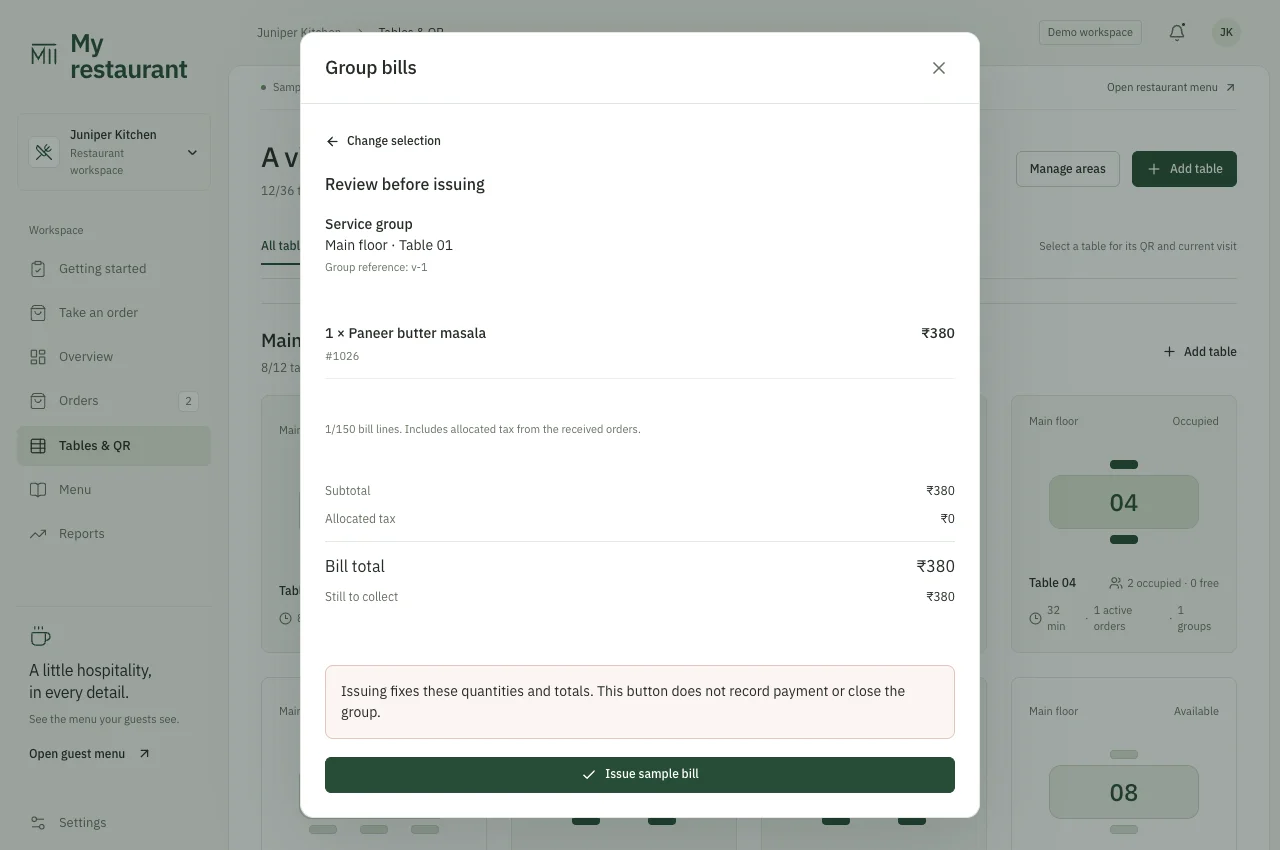
Bring the bill together. Or split it.

Choose whole item quantities for a bill. Review the total, then record the amounts actually collected using one or several methods.

  • Partial collections and mixed payment methods
  • Credits for earlier recorded collections
  • Receipt previews and protected retry recovery
Sample billing screen in Dinevia
Sample guest platform viewSample kitchen platform viewSample floor platform viewSample billing platform view
Actual platform screens, shown with sample data.

The details matter, too.

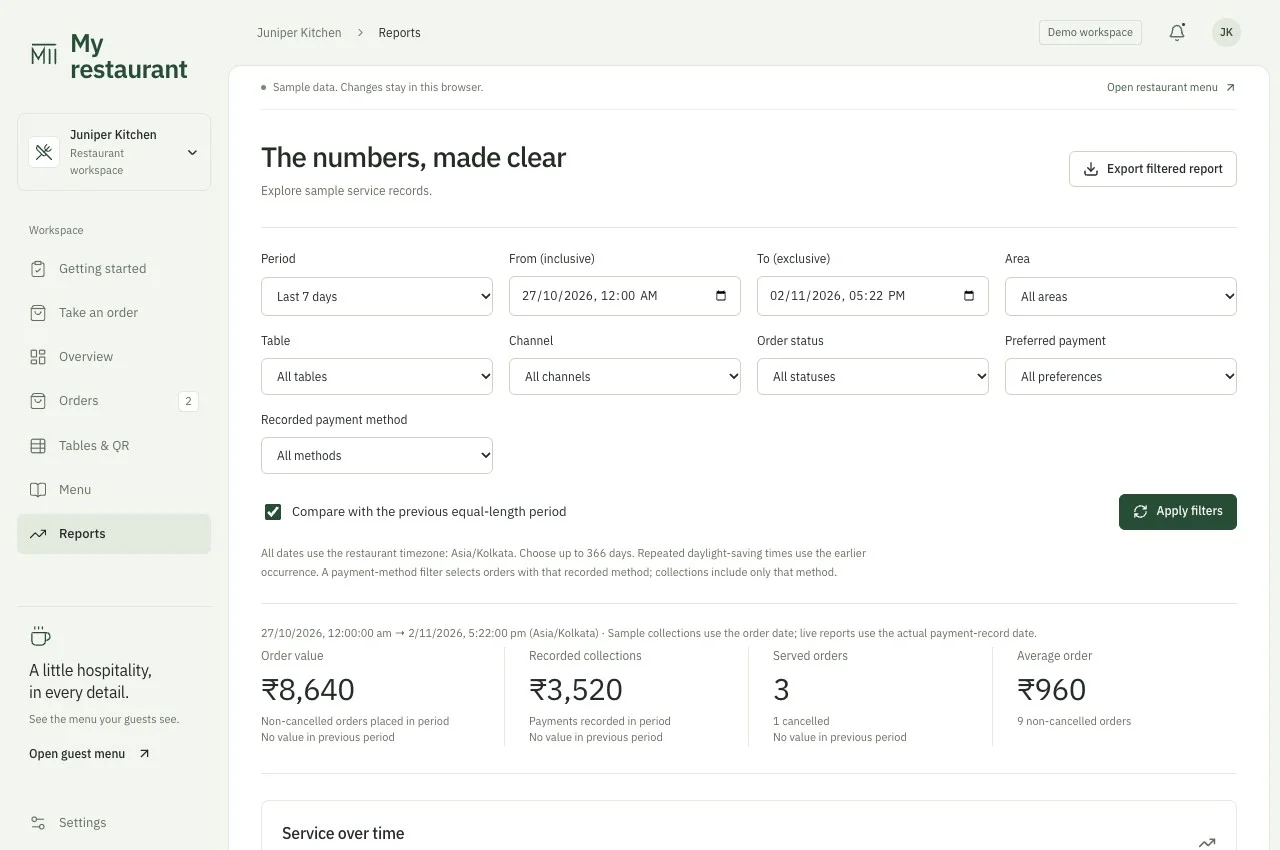
See how service adds up.

Filter by time, area, table or service channel. Compare periods, inspect dish performance and export filtered reports.

  • Order value and collections use their own dates
  • Charts have an accessible data-table view
  • Outstanding balances remain visible
Sample Dinevia financial analytics with date filters

The right access for each person.

Create individual staff accounts. Start from a role preset, then choose which actions and records each person can access.

  • Separate admin and staff permissions
  • Specific controls for bills, reports and guest contacts
  • Access changes revoke affected sessions

Orders beyond the table.

Enter takeaway and manual-delivery orders in the same workspace. Keep them separate from seated groups.

  • Service details reviewed before sending
  • Delivery details limited by staff access
  • No table seats consumed by off-premise checks

Payments are staff-entered records. Delivery is coordinated by your team. Bank verification, delivery aggregators, inventory and payroll are outside this current walkthrough.

Set up around
your restaurant.

Show us a normal service.

Tell us about your tables, kitchen stations, menu and how you settle bills.

Walk through the details.

Check the features in a demo and agree the setup, support and any custom work.

Test before your first shift.

Configure your restaurant, print table QRs and run an order through to a settled bill.

Let’s talk before your next service.

See how Dinevia fits your tables, your menu and your team.

Book a demo